Overview
<!-- Content only (Hero is handled by template) --> <div class="row g-5 mb-5 align-items-center"><!-- Left: Challenge --> <div class="col-lg-6" data-aos="fade-right"> <h2 class="fw-bold text-white mb-3">The Challenge</h2> <p class="lead text-white-50">I wanted to create a mobile word puzzle game that felt fast, fluid, and modern. The goal was to build a native-feeling Android app using web technologies I already knew (HTML, CSS, JS) while learning the mobile publishing pipeline.</p> <div class="d-flex gap-2 mt-4"><span class="badge bg-white bg-opacity-10 px-3 py-2 rounded-pill border border-secondary">Mobile First Design</span> <span class="badge bg-white bg-opacity-10 px-3 py-2 rounded-pill border border-secondary">Touch Controls</span></div> </div> <!-- Right: Core Features --> <div class="col-lg-6" data-aos="fade-left"> <div class="p-4 border border-secondary bg-black bg-opacity-50 rounded-4 shadow-lg h-100"> <h3 class="h5 text-white mb-3 fw-bold">Core Features</h3> <ul class="list-unstyled text-white-50 mb-0"> <li class="mb-3">Fast-paced tile matching gameplay</li> <li class="mb-3">Procedural generation via AI logic</li> <li class="mb-3">Smooth 60fps animations on mobile</li> <li class="mb-0">Google Play Leaderboard Integration</li> </ul> </div> </div> </div> <hr class="my-5 border-secondary opacity-25" data-aos="fade-in"><!-- AI Workflow Section --> <div class="row g-5 mb-5 align-items-center flex-row-reverse"> <div class="col-lg-6" data-aos="fade-left"> <h2 class="fw-bold text-white mb-3">Powered by AntiGravity</h2> <p class="text-white-50 mb-3">This project was a testbed for the <strong>Google AntiGravity IDE</strong>, a next-gen development environment with <strong>multiple built-in LLMs</strong>.</p> <p class="text-white-50">Instead of manually writing every utility function, I collaborated with the AI to:</p> <ul class="text-white-50 mb-4"> <li>Generate complex grid logic for tile spacing.</li> <li>Debug race conditions in the game loop.</li> <li>Optimize CSS renderings for mobile GPUs.</li> </ul> <div class="p-3 border border-primary bg-primary bg-opacity-10 rounded-3"> <p class="text-primary small mb-0 fw-bold">"AntiGravity acted as a Senior Engineer partner, explaining Capacitor configuration and Android manifest settings in real-time."</p> </div> </div> <div class="col-lg-6 text-center" data-aos="fade-right"> <div class="rounded-circle p-2 border border-secondary d-inline-block bg-black bg-opacity-50"><img class="img-fluid rounded-circle" style="max-width: 300px;" src="/assets/google_antigravity_logo.jpg" alt="AntiGravity Logo"></div> </div> </div> <hr class="my-5 border-secondary opacity-25" data-aos="fade-in"><!-- Pipeline Steps (With Official Logos) --> <div class="row g-5 mb-5"> <div class="col-12 text-center mb-4" data-aos="fade-up"> <h2 class="fw-bold text-white">From Web to APK</h2> <p class="text-white-50 mx-auto" style="max-width: 600px;">Moving from a browser tab to an installed app required mastering new tools.</p> </div> <!-- Step 1: HTML5 --> <div class="col-md-4" data-aos="fade-up" data-aos-delay="100"> <div class="p-4 h-100 border border-secondary bg-white bg-opacity-05 rounded-4 text-center"> <div class="mb-3 d-flex justify-content-center align-items-center" style="height: 60px;"><img style="width: 60px; height: 60px; object-fit: contain;" src="https://upload.wikimedia.org/wikipedia/commons/thumb/6/61/HTML5_logo_and_wordmark.svg/960px-HTML5_logo_and_wordmark.svg.png" alt="HTML5"></div> <h4 class="text-white fw-bold h5 mt-3">1. Web Foundation</h4> <p class="text-white-50 small mb-0">Building the core game using robust HTML5 Canvas and CSS animations. Ensuring the game loop was separated from the DOM for performance.</p> </div> </div> <!-- Step 2: Capacitor --> <div class="col-md-4" data-aos="fade-up" data-aos-delay="200"> <div class="p-4 h-100 border border-secondary bg-white bg-opacity-05 rounded-4 text-center"> <div class="mb-3 d-flex justify-content-center align-items-center" style="height: 60px;"><img class="rounded-circle" style="width: 60px; height: 60px; object-fit: contain;" src="https://pbs.twimg.com/profile_images/1268235262641004544/OLW1xl7t_400x400.png" alt="CapacitorJS"></div> <h4 class="text-white fw-bold h5 mt-3">2. Capacitor JS</h4> <p class="text-white-50 small mb-0">Using <code>@capacitor/core</code> to wrap the web app. I learned how to bridge native functionality like Haptics using JavaScript.</p> </div> </div> <!-- Step 3: Android Studio --> <div class="col-md-4" data-aos="fade-up" data-aos-delay="300"> <div class="p-4 h-100 border border-secondary bg-white bg-opacity-05 rounded-4 text-center"> <div class="mb-3 d-flex justify-content-center align-items-center" style="height: 60px;"><img style="width: 60px; height: 60px; object-fit: contain;" src="https://upload.wikimedia.org/wikipedia/commons/thumb/c/c1/Android_Studio_icon_%282023%29.svg/960px-Android_Studio_icon_%282023%29.svg.png" alt="Android Studio"></div> <h4 class="text-white fw-bold h5 mt-3">3. Android Studio</h4> <p class="text-white-50 small mb-0">The final hurdle. Configuring Gradle builds, signing keystores, and managing SDK versions to generate a production-ready `.apk`.</p> </div> </div> </div>
The Challenge
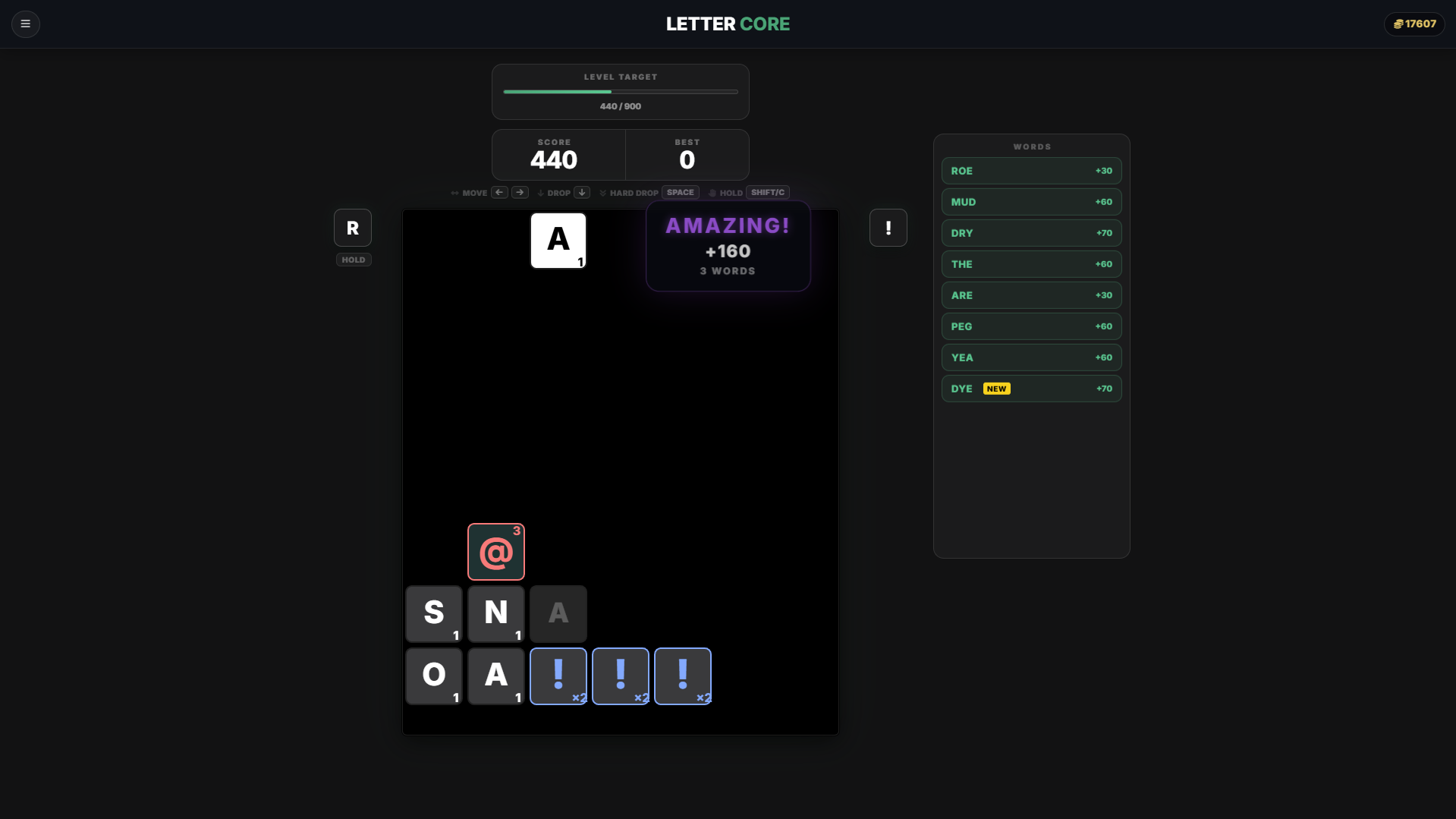
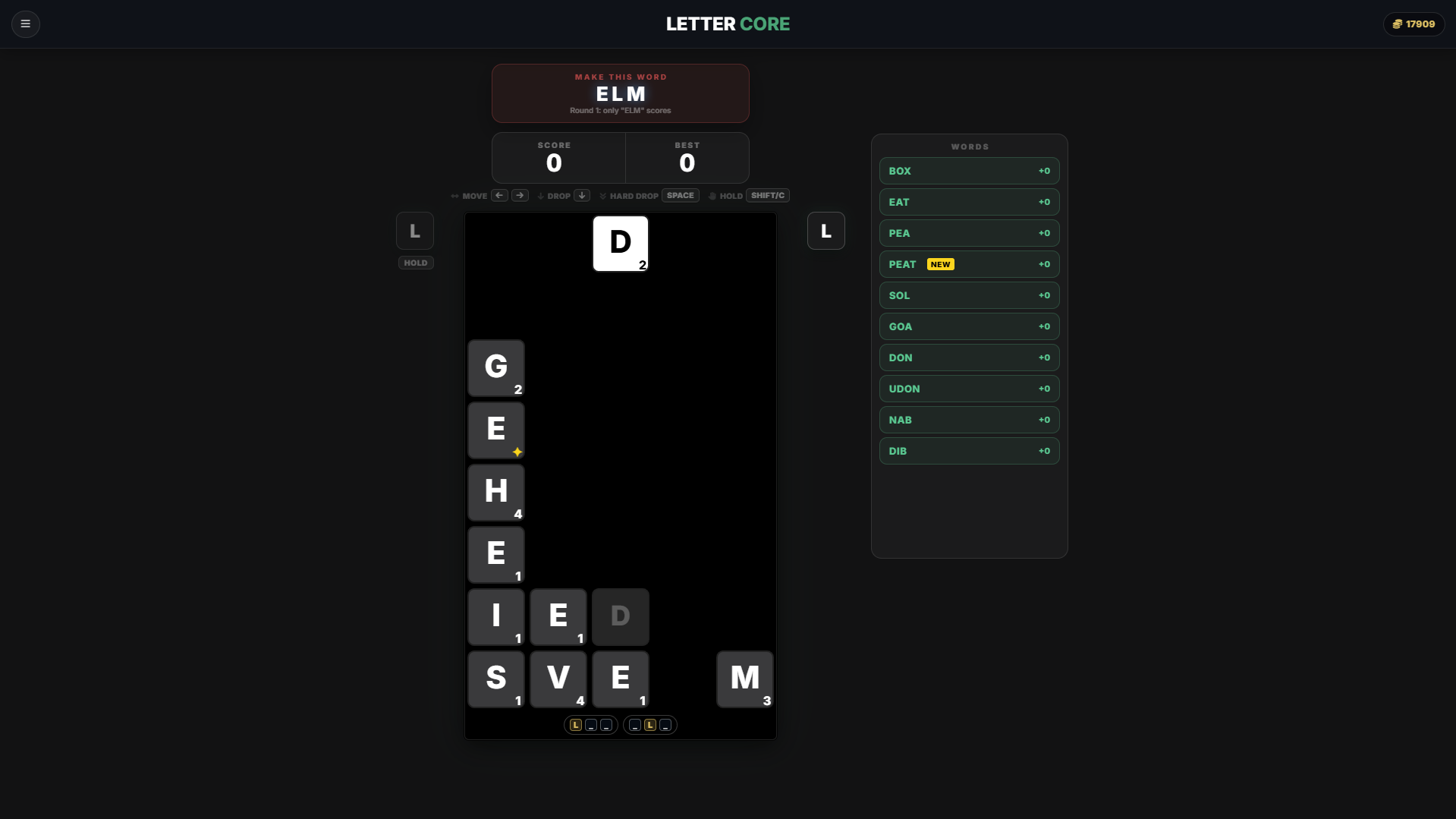
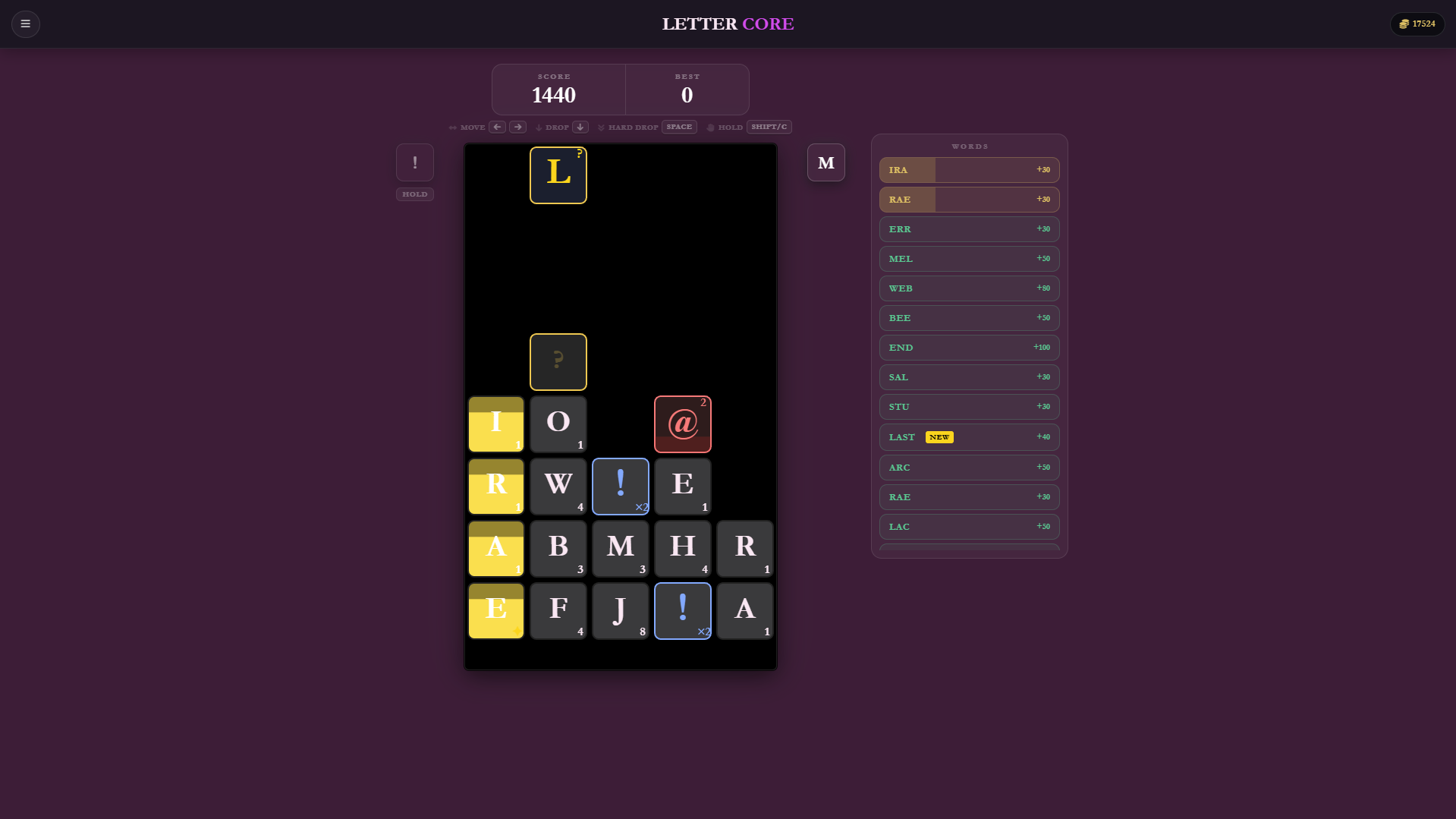
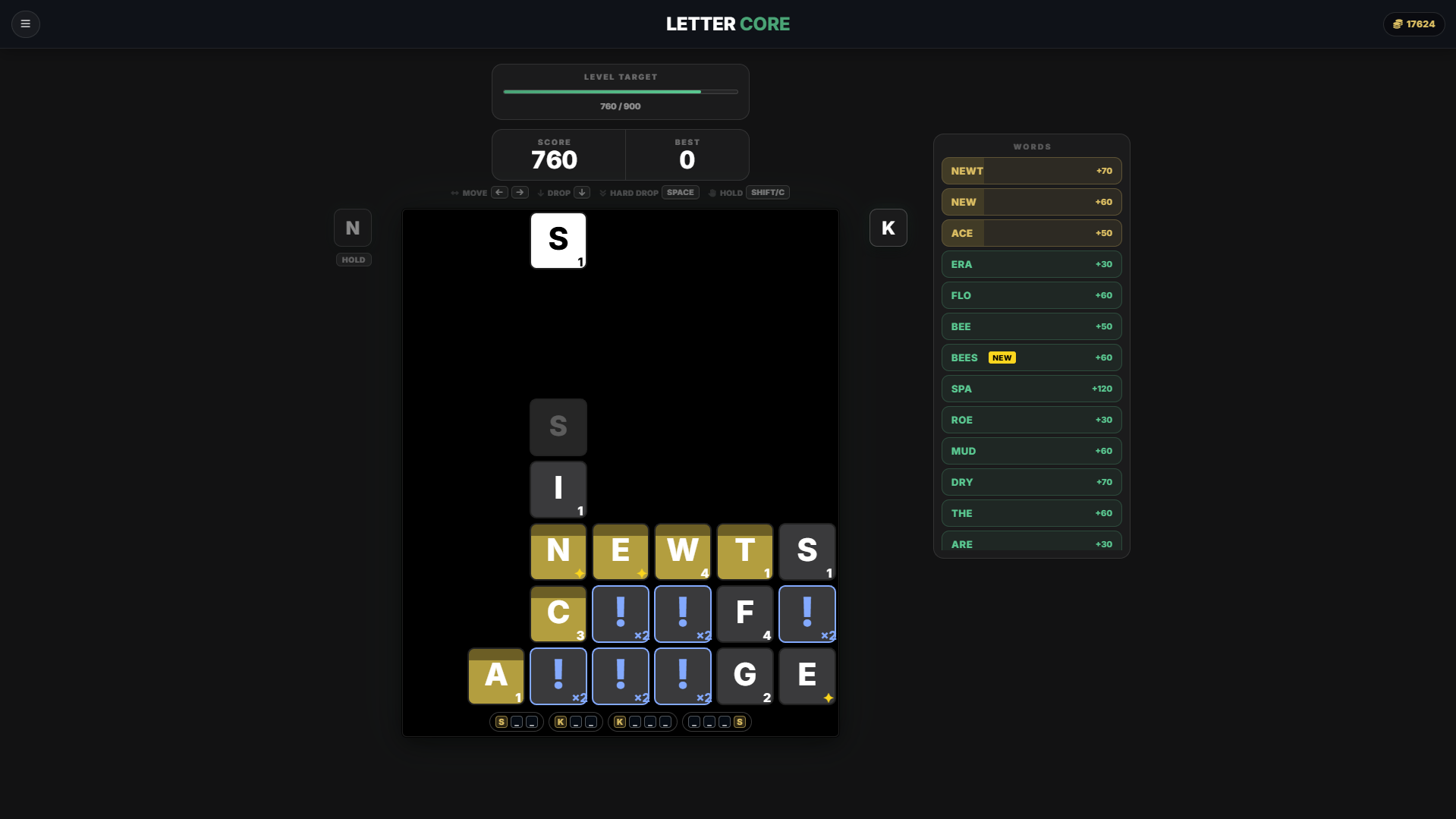
I wanted to create a mobile word puzzle game that felt fast, fluid, and modern. The goal was to build a native-feeling Android app using web technologies I already knew (HTML, CSS, JS) while learning the mobile publishing pipeline.
Core Features
- Fast-paced tile matching gameplay
- Procedural generation via AI logic
- Smooth 60fps animations on mobile
- Google Play Leaderboard Integration
Powered by AntiGravity
This project was a testbed for the Google AntiGravity IDE, a next-gen development environment with multiple built-in LLMs.
Instead of manually writing every utility function, I collaborated with the AI to:
- Generate complex grid logic for tile spacing.
- Debug race conditions in the game loop.
- Optimize CSS renderings for mobile GPUs.
"AntiGravity acted as a Senior Engineer partner, explaining Capacitor configuration and Android manifest settings in real-time."

From Web to APK
Moving from a browser tab to an installed app required mastering new tools.
1. Web Foundation
Building the core game using robust HTML5 Canvas and CSS animations. Ensuring the game loop was separated from the DOM for performance.

2. Capacitor JS
Using @capacitor/core to wrap the web app. I learned how to bridge native functionality like Haptics using JavaScript.
3. Android Studio
The final hurdle. Configuring Gradle builds, signing keystores, and managing SDK versions to generate a production-ready `.apk`.
Design & Development Process
<!-- Content only (Hero is handled by template) --> <div class="row g-5 mb-5 align-items-center"><!-- Left: Challenge --> <div class="col-lg-6" data-aos="fade-right"> <h2 class="fw-bold text-white mb-3">The Challenge</h2> <p class="lead text-white-50">I wanted to create a mobile word puzzle game that felt fast, fluid, and modern. The goal was to build a native-feeling Android app using web technologies I already knew (HTML, CSS, JS) while learning the mobile publishing pipeline.</p> <div class="d-flex gap-2 mt-4"><span class="badge bg-white bg-opacity-10 px-3 py-2 rounded-pill border border-secondary">Mobile First Design</span> <span class="badge bg-white bg-opacity-10 px-3 py-2 rounded-pill border border-secondary">Touch Controls</span></div> </div> <!-- Right: Core Features --> <div class="col-lg-6" data-aos="fade-left"> <div class="p-4 border border-secondary bg-black bg-opacity-50 rounded-4 shadow-lg h-100"> <h3 class="h5 text-white mb-3 fw-bold">Core Features</h3> <ul class="list-unstyled text-white-50 mb-0"> <li class="mb-3">Fast-paced tile matching gameplay</li> <li class="mb-3">Procedural generation via AI logic</li> <li class="mb-3">Smooth 60fps animations on mobile</li> <li class="mb-0">Google Play Leaderboard Integration</li> </ul> </div> </div> </div> <hr class="my-5 border-secondary opacity-25" data-aos="fade-in"><!-- AI Workflow Section --> <div class="row g-5 mb-5 align-items-center flex-row-reverse"> <div class="col-lg-6" data-aos="fade-left"> <h2 class="fw-bold text-white mb-3">Powered by AntiGravity</h2> <p class="text-white-50 mb-3">This project was a testbed for the <strong>Google AntiGravity IDE</strong>, a next-gen development environment with <strong>multiple built-in LLMs</strong>.</p> <p class="text-white-50">Instead of manually writing every utility function, I collaborated with the AI to:</p> <ul class="text-white-50 mb-4"> <li>Generate complex grid logic for tile spacing.</li> <li>Debug race conditions in the game loop.</li> <li>Optimize CSS renderings for mobile GPUs.</li> </ul> <div class="p-3 border border-primary bg-primary bg-opacity-10 rounded-3"> <p class="text-primary small mb-0 fw-bold">"AntiGravity acted as a Senior Engineer partner, explaining Capacitor configuration and Android manifest settings in real-time."</p> </div> </div> <div class="col-lg-6 text-center" data-aos="fade-right"> <div class="rounded-circle p-2 border border-secondary d-inline-block bg-black bg-opacity-50"><img class="img-fluid rounded-circle" style="max-width: 300px;" src="/assets/google_antigravity_logo.jpg" alt="AntiGravity Logo"></div> </div> </div> <hr class="my-5 border-secondary opacity-25" data-aos="fade-in"><!-- Pipeline Steps (With Official Logos) --> <div class="row g-5 mb-5"> <div class="col-12 text-center mb-4" data-aos="fade-up"> <h2 class="fw-bold text-white">From Web to APK</h2> <p class="text-white-50 mx-auto" style="max-width: 600px;">Moving from a browser tab to an installed app required mastering new tools.</p> </div> <!-- Step 1: HTML5 --> <div class="col-md-4" data-aos="fade-up" data-aos-delay="100"> <div class="p-4 h-100 border border-secondary bg-white bg-opacity-05 rounded-4 text-center"> <div class="mb-3 d-flex justify-content-center align-items-center" style="height: 60px;"><img style="width: 60px; height: 60px; object-fit: contain;" src="https://upload.wikimedia.org/wikipedia/commons/thumb/6/61/HTML5_logo_and_wordmark.svg/960px-HTML5_logo_and_wordmark.svg.png" alt="HTML5"></div> <h4 class="text-white fw-bold h5 mt-3">1. Web Foundation</h4> <p class="text-white-50 small mb-0">Building the core game using robust HTML5 Canvas and CSS animations. Ensuring the game loop was separated from the DOM for performance.</p> </div> </div> <!-- Step 2: Capacitor --> <div class="col-md-4" data-aos="fade-up" data-aos-delay="200"> <div class="p-4 h-100 border border-secondary bg-white bg-opacity-05 rounded-4 text-center"> <div class="mb-3 d-flex justify-content-center align-items-center" style="height: 60px;"><img class="rounded-circle" style="width: 60px; height: 60px; object-fit: contain;" src="https://pbs.twimg.com/profile_images/1268235262641004544/OLW1xl7t_400x400.png" alt="CapacitorJS"></div> <h4 class="text-white fw-bold h5 mt-3">2. Capacitor JS</h4> <p class="text-white-50 small mb-0">Using <code>@capacitor/core</code> to wrap the web app. I learned how to bridge native functionality like Haptics using JavaScript.</p> </div> </div> <!-- Step 3: Android Studio --> <div class="col-md-4" data-aos="fade-up" data-aos-delay="300"> <div class="p-4 h-100 border border-secondary bg-white bg-opacity-05 rounded-4 text-center"> <div class="mb-3 d-flex justify-content-center align-items-center" style="height: 60px;"><img style="width: 60px; height: 60px; object-fit: contain;" src="https://upload.wikimedia.org/wikipedia/commons/thumb/c/c1/Android_Studio_icon_%282023%29.svg/960px-Android_Studio_icon_%282023%29.svg.png" alt="Android Studio"></div> <h4 class="text-white fw-bold h5 mt-3">3. Android Studio</h4> <p class="text-white-50 small mb-0">The final hurdle. Configuring Gradle builds, signing keystores, and managing SDK versions to generate a production-ready `.apk`.</p> </div> </div> </div>
The Challenge
I wanted to create a mobile word puzzle game that felt fast, fluid, and modern. The goal was to build a native-feeling Android app using web technologies I already knew (HTML, CSS, JS) while learning the mobile publishing pipeline.
Core Features
- Fast-paced tile matching gameplay
- Procedural generation via AI logic
- Smooth 60fps animations on mobile
- Google Play Leaderboard Integration
Powered by AntiGravity
This project was a testbed for the Google AntiGravity IDE, a next-gen development environment with multiple built-in LLMs.
Instead of manually writing every utility function, I collaborated with the AI to:
- Generate complex grid logic for tile spacing.
- Debug race conditions in the game loop.
- Optimize CSS renderings for mobile GPUs.
"AntiGravity acted as a Senior Engineer partner, explaining Capacitor configuration and Android manifest settings in real-time."

From Web to APK
Moving from a browser tab to an installed app required mastering new tools.
1. Web Foundation
Building the core game using robust HTML5 Canvas and CSS animations. Ensuring the game loop was separated from the DOM for performance.

2. Capacitor JS
Using @capacitor/core to wrap the web app. I learned how to bridge native functionality like Haptics using JavaScript.
3. Android Studio
The final hurdle. Configuring Gradle builds, signing keystores, and managing SDK versions to generate a production-ready `.apk`.